
Password Manager – Why Every Business Should Be Using Them

Password Manager

Published on

17 June, 2025

Bryan Siemon

Bryan Siemon

Password Manager – Why Every Business Should Use Them

In today’s digital-first world, password security is no longer optional—it’s essential.

As we have pointed out in other articles, technology is moving fast, and so is the increasing threat, sophistication, and frequency of hackers and cyber attacks. If you are relying on outdated or insecure methods to manage your passwords, this puts your business and data at serious risk.

This is why we are recommending a password manager.

What Is a Password Manager?

A password manager is a secure tool that stores and organizes your login credentials, passkeys, credit cards, and other sensitive data in an encrypted vault. Instead of remembering dozens (or hundreds) of passwords, you only need to remember one master password to access everything.
Gmail

The best password managers also help you generate strong, unique passwords for every site or application, dramatically reducing the risk of breaches caused by reused or weak credentials.

With this in mind, we don’t just recommend you use any password manager.

Introducing Bitwarden: A Powerful, Secure Solution

Bitwarden is the best password manager for securely storing, managing, and sharing sensitive information such as passwords, passkeys, and credit cards. With end-to-end encryption and zero-knowledge architecture, Bitwarden ensures that your data is only accessible by you—and never even visible to Bitwarden itself.

Soho Network Solution clients are adding Bitwarden to their computers.

Why do we recommend Bitwarden?

Bitwarden is trusted by businesses, developers, and IT professionals around the world for its flexibility, transparency (open-source code), and enterprise-grade security.

“Bitwarden is the best password manager for securely storing, managing, and sharing sensitive information such as passwords, passkeys, and credit cards.”

Key Features of Bitwarden:

  • End-to-End Encryption: Your data is encrypted locally before it’s ever sent to the cloud.
  • Password Generator: Automatically create strong, unique passwords for every account.
  • Cross-Platform Access: Use Bitwarden on your desktop, browser, and mobile devices.
  • Secure Sharing: Share credentials with team members without compromising security.
  • Auditing Tools: Identify weak, reused, or compromised passwords.
  • Zero-Knowledge Infrastructure: Even Bitwarden can’t see your data.

We know many people who store their passwords and even credit cards on your Web Browser. This is a big mistake.

Why You Shouldn’t Store Passwords in Your Browser

It’s tempting to let your browser store your passwords for convenience, but browsers are not designed for secure password management. Here’s why that’s risky:

  • Weak encryption: Browser password managers lack the robust security features of dedicated tools.
  • Single point of failure: If your browser or device is compromised, your saved passwords are vulnerable.
  • No audit features: Browsers can’t alert you to weak or reused passwords.

I bet you are thinking, “That’s fine, I just write my passwords and sensitive information down in a notebook or a yellow sticky at my desk.”

Why Writing Passwords Down Is Even Worse

We still see businesses using notebooks, sticky notes, or unprotected spreadsheets to track login information. This may seem harmless—until it isn’t.

  • Physical theft or loss: Anyone with access to your office or device can steal your credentials.
  • No backup: If the list is lost or destroyed, you lose everything.
  • No password generation: You’re more likely to create weak, easy-to-guess passwords.

The Business Case for Bitwarden

Bitwarden offers all the benefits of modern password management at a fraction of the cost of a security breach. For just $5 per month per user, you get enterprise-level protection, ease of use, and peace of mind knowing your team’s credentials are secure.

Ready to protect your business the right way?

Contact us today to get your team started with Bitwarden.

More Articles


We Are A Full Service IT Company

We can help setup MFA in your organization. Contact us today to learn more or help getting started.

Continue reading

Blank Credit Card

Want To Protect Your Online Payments?

Virtual
Credit Card

Published on

19 December, 2024

Bryan Siemon

Bryan Siemon

Want To Protect Your Online Payments?

In an age where online transactions have become the norm, safeguarding your financial information is more important than ever. A virtual credit card (VCC) offers an extra layer of security, convenience, and control, making it an essential tool for modern consumers.

Virtual credit cards have emerged as a powerful tool in enhancing safety during online purchases. Unlike traditional credit cards, virtual cards generate temporary card numbers that can be used for single transactions or limited periods, significantly reducing the risk of fraud. This layer of security is invaluable in an age where data breaches and cybercrime are rampant. With virtual credit cards, consumers can enjoy peace of mind, knowing that their actual card details are not exposed during online transactions.

Unlike traditional credit cards, virtual cards generate temporary card numbers that can be used for single transactions or limited periods, significantly reducing the risk of fraud.

Get A Virtual Credit Card Here

Moreover, virtual credit cards often come with features that allow users to set spending limits or expiration dates, further controlling how and when their information is used. This means that even if a cybercriminal were to obtain the virtual card number, they would have limited ability to misuse it.

Additionally, many financial institutions provide alerts and monitoring services for virtual credit card transactions, enabling users to swiftly detect and respond to any unauthorized activity.

Another advantage is the convenience that virtual credit cards offer. Consumers can generate a new card number for each online purchase, which not only enhances security but also simplifies managing multiple subscriptions or online services. Instead of wrestling with the risks associated with sharing a physical credit card number repeatedly, users can easily create a unique virtual card for different merchants. As e-commerce continues to grow, adopting virtual credit cards can be a proactive step for anyone looking to bolster their online financial safety and privacy.

Here’s why you should consider using one for your digital and in-person purchases.

Enhanced Security
Virtual credit cards generate unique, temporary card numbers that are linked to your actual credit card account. When you use a VCC for online shopping or subscription services, the merchant never sees your real credit card details. This greatly reduces the risk of your information being stolen in the event of a data breach.

Fraud Prevention
Even if a virtual credit card number is compromised, it becomes useless once it expires or is canceled. Some virtual cards allow you to set spending limits or restrict usage to specific merchants, further minimizing the risk of fraud.

Convenience for Subscriptions
Managing subscriptions can be a hassle, especially when canceling services. With a virtual credit card, you can create a unique number for each subscription and deactivate it without affecting your main card. This prevents unauthorized charges and ensures you’re only paying for services you use.

Privacy Protection
Using a VCC helps you maintain your privacy by reducing the amount of personal and financial information shared online. This is especially useful when shopping on unfamiliar or international websites where the risk of data misuse might be higher.

Easy Budgeting
Many virtual credit cards let you set a spending cap for each transaction or time period. This feature is perfect for budgeting and controlling impulsive spending. For parents, it’s also a great way to limit how much children spend on their favorite apps or online games.

Wide Availability and Integration
Most major credit card issuers and payment platforms now offer virtual credit cards, making them accessible to a broad range of users. They’re easy to set up and often integrate seamlessly with digital wallets like Apple Pay, Google Pay, and PayPal.

Global Compatibility
Virtual credit cards work just like regular credit cards for online transactions. Many also support international currencies, making them an excellent choice for travelers and global shoppers.

Get A Virtual Credit Card Here

As online shopping and digital payments become increasingly prevalent, virtual credit cards offer a smart, secure, and convenient way to protect your finances. Whether you’re concerned about fraud, privacy, or just want to manage your spending better, a VCC is a valuable tool in today’s digital economy.

Take control of your financial security—consider adding a virtual credit card to your payment arsenal today.

More Articles


We Are A Full Service IT Company

We can help setup MFA in your organization. Contact us today to learn more or help getting started.
Continue reading

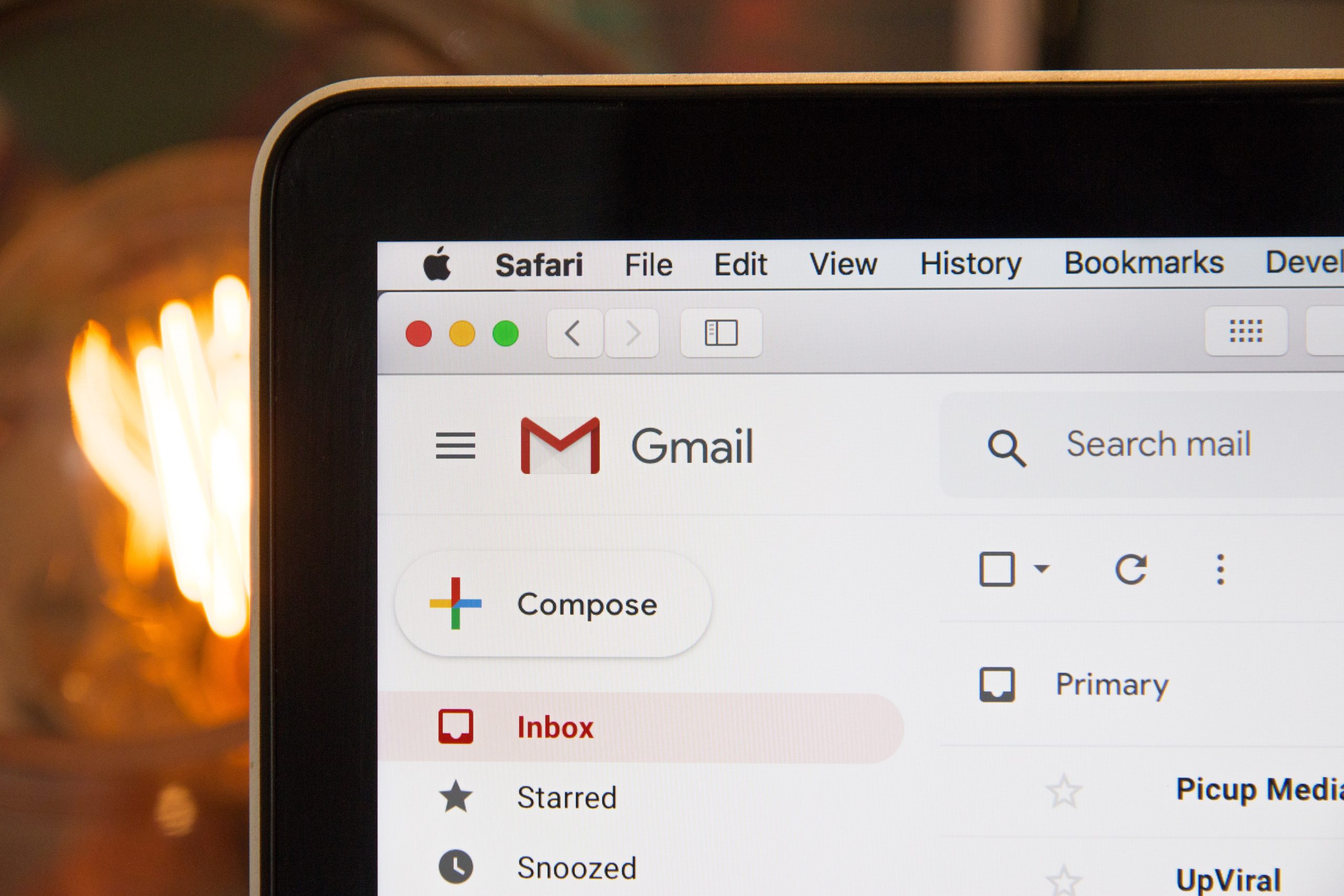
Gmail email

Is Gmail HIPAA Compliant?

Is Gmail HIPAA Compliant?

Bryan Siemon Bryan Siemon

When handling protected health information (PHI), healthcare providers and organizations are bound by the stringent Health Insurance Portability and Accountability Act (HIPAA) regulations. Software products and emails used in a business or organization’s IT environment must allow them to maintain compliance.

Gmail is a free service provided by Google and one of many Google services used for personal or commercial purposes. One of the most common questions we get in this context is whether Gmail, a widely used email service, is HIPAA compliant. In this article, we will explore the nuances of HIPAA compliance with Gmail and what steps organizations need to take to ensure they are not violating HIPAA rules while using Gmail emails.

Understanding HIPAA Compliance

HIPAA sets the standard for protecting sensitive patient data. Any organization that handles PHI must ensure that all required physical, network, and process security measures are in place and followed. Failure to comply with HIPAA can result in significant fines and penalties. One way you may be violating HIPAA regulations is through your emails.

Fines can range from $100 to $50,000 (up to $1.5 million a year) depending on the level of culpability and the type of violation. The nature of the penalties and lawsuits depends on the nature of the violation and the course of action taken after it’s discovered. Additionally, criminal penalties can be imposed for intentional violations such as malicious intent or personal gain.

To be HIPAA compliant, an email service must provide adequate safeguards to protect PHI, including encryption, secure access controls, audit controls, and a signed Business Associate Agreement (BAA). The BAA is a critical document that outlines the responsibilities of the service provider in protecting PHI.

Is Gmail HIPAA Compliant by Default?

Gmail

No, the standard, free version of Gmail is not HIPAA compliant. It lacks several key features that are required for HIPAA compliance, including the signing of a Business Associate Agreement (BAA) and certain security controls. Gmail also lacks encryption for ePHI, this is a very important aspect of HIPAA compliance.

However, Google’s paid service, Google Workspace (formerly known as G Suite), can be configured to be HIPAA compliant. Google Workspace includes Gmail, Google Drive, Google Calendar, and other tools that can be used in a healthcare setting. Be prepared and informed, just using Google Workspace alone does not automatically make you HIPAA compliant; certain steps must be taken.

Steps To Make Gmail HIPAA Compliant

To use Gmail in a manner that is HIPAA compliant, organizations must follow these steps:

  1. Sign a Business Associate Agreement (BAA) with Google: Before using Gmail for PHI, the healthcare organization must enter into a BAA with Google. This agreement ensures that Google will appropriately safeguard PHI in accordance with HIPAA requirements.
  2. Enable and Use Gmail in Google Workspace: Organizations should use Gmail through Google Workspace, which provides enhanced security features compared to the free version. Google Workspace allows for email encryption, secure transmission of data, and access controls, all of which are essential for HIPAA compliance.
  3. Implement End-to-End Encryption: While Google encrypts emails in transit and at rest, it is advisable to implement additional encryption methods to ensure that PHI remains secure at all stages. This may involve using third-party encryption services that integrate with Gmail.
  4. Access Controls and Audit Logs: Organizations should configure Gmail and other Google Workspace services to ensure that access to PHI is restricted to authorized individuals only. Audit logs should be enabled to track who accessed the data, when it was accessed, and what actions were taken.

  5. Staff Training and Policies: It is essential to train staff on HIPAA compliance, including the proper use of Gmail for PHI. Organizations should have clear policies in place for how PHI is to be handled, transmitted, and stored.

Common Pitfalls To Avoid

Even with a BAA and the right configurations, there are still risks associated with using Gmail for PHI. Here are some common pitfalls to avoid:

    • Using the Free Version of Gmail: The free version of Gmail is not covered by a BAA and does not have the necessary security features, making it non-compliant with HIPAA.
    • Sending PHI Without Encryption: Even with Google Workspace, sending emails that contain PHI without encryption can expose sensitive information to unauthorized parties.
  • Inadequate Training: Staff who are not adequately trained in HIPAA compliance and secure email practices can inadvertently cause a data breach.

Conclusion

Gmail, when used within Google Workspace and with the appropriate safeguards, can be configured to be HIPAA compliant. However, it is not automatically compliant, and organizations must take specific steps, including signing a BAA with Google and implementing necessary security measures. By doing so, healthcare providers can securely use Gmail to handle PHI while staying within the bounds of HIPAA regulations.

In summary, while Gmail itself is not inherently HIPAA compliant, it can become a compliant tool with the correct configurations and adherence to best practices. Always consult with legal and IT professionals to ensure full compliance with HIPAA when using email services to handle sensitive health information.

Related Recipes


Contact

Let’s build great things together

SoHo Network Solutions is your IT Department. We’ve been in business since 2001 helping residential customers and small and medium size businesses with all their computer and network needs. We offer IT Solutions, Network Administration, computer support, data backup and recovery, Office 365 Migration and more. Our business model is based off the idea that while you may not need a fulltime IT department, you do still need to have your network infrastructure maintained.
  • Phone

    717.831.8128

  • Email

    hello@sohonetworksolutions.com

Continue reading

computer piracy

Beware: Top Phishing Scam Tactics

Bryan Siemon Bryan Siemon

Phishing, a prevalent hacking technique for over two decades, might seem like old news. However, these fraudulent tactics persist and continue to ensnare more victims than ever before. In an era dominated by digital interactions, the art of phishing has evolved into a sophisticated and prevalent cyber threat. Phishing scams, deceptive attempts to obtain sensitive information such as usernames, passwords, and credit card details, continue to plague individuals and organizations worldwide. From emails to text messages and fake websites, these tactics have become increasingly deceptive, making it crucial for everyone to stay vigilant and informed about the most common methods used by cybercriminals.

The evolution of phishing scams has equipped hackers with advanced tools and strategies, enabling them to deceive unsuspecting targets with greater finesse. To safeguard yourself and your data, it’s crucial to understand the methods hackers will use. Here are the top indicators of phishing scams and how to identify and address them:

Phishing scams, deceptive attempts to obtain sensitive information such as usernames, passwords, and credit card details, continue to plague individuals and organizations worldwide.

1. Deceptive URLs and Domain Names: We call these malicious links. Fake websites and URLs closely resemble legitimate ones but contain subtle misspellings or extra characters. Hover over links before clicking them to reveal the actual destination. Secure websites typically have “https://” at the beginning of their URL, indicating encryption, while misspelled or suspicious domains might lack this. These links bait curiosity or promise rewards, tricking recipients into clicking or opening attachments. Always exercise caution and verify links before clicking.

2. Password Requests: One of the biggest scams going around is claiming your password expired or needs reset. This coincides with Deceptive URLs and Domain Names. The scammers will send an email that looks like it came from your bank, stock brokerage account, credit card, or something similar. The link in the email can take you to a site that looks like your legitimate account’s website. At this point they try to get your old username and password. Never click the link from your email. Always go directly to the website or call them. Legitimate companies never request sensitive information like passwords via email. Treat such requests as phishing attempts and ignore or block them.

3. Email Spoofing: Hackers manipulate emails to appear from trusted sources, using familiar sender names but incorrect email addresses. Phishers often forge email headers to appear as if they’re from reputable sources like banks, government agencies, or well-known companies. They mimic logos and language, creating a sense of urgency, prompting recipients to click on malicious links or provide personal information. Check the email address carefully. Legitimate sources usually have domain names that match their brand or organization. Always cross-check the sender’s name with their email address before opening.

4. Fake Pop-up Alerts: Phishers often create a sense of urgency or fear to prompt immediate action. They may claim your account is compromised, payments are overdue, or you’ve won a prize, urging you to act quickly. Be cautious of such pressure tactics and verify information independently through official channels.

5. Social Engineering: Phishers exploit psychological manipulation, using information from social media or previous data breaches to personalize their messages. They might refer to personal details or mutual connections to gain your trust. Be wary of unexpected communications asking for sensitive information.

6. Unexpected Emails: Most people have an idea of what emails they commonly get so be aware of unexpected emails. Emails arriving unexpectedly or causing alarm are likely scams. Avoid responding or taking any actions instructed in these emails; instead, verify their legitimacy.

7. Urgency and Fear Tactics: Threatening messages pressuring immediate action, such as closing accounts or legal consequences, aim to induce panic. Phishers often create a sense of urgency or fear to prompt immediate action. They may claim your account is compromised, payments are overdue, or you’ve won a prize, urging you to act quickly. Be cautious of such pressure tactics and verify information independently through official channels.

8. Misspellings and Grammar Errors: We all make these errors so it may seem common, or you may not notice right away. Most of us, when sending out an important email, use spell check and often have our message proofread to make sure there are no mistakes. Scammers are just trying to get the message out to as many people as fast as possible. Phishing emails often contain spelling mistakes and poor grammar. Avoid engaging with such emails and refrain from correcting them.

Tips to Identify and Avoid Phishing Scams:

  • Verify the Source: Scrutinize sender email addresses and URLs. When in doubt, contact the organization directly through official channels.
  • Think Before Clicking: Hover over links to preview destinations. Avoid clicking on suspicious links or downloading attachments from unknown sources.
  • Use Multi-Factor Authentication: Enable multi-factor authentication whenever possible to add an extra layer of security to your accounts.
  • Stay Informed: Keep up with the latest phishing tactics and educate yourself and your peers about potential threats.
  • Trust Your Instincts: If something feels off or too good to be true, it probably is. Don’t hesitate to seek guidance or report suspicious activity.
  • Use Professional Grade Antivirus software: Accidents happen, clicking on a link before you have a chance to scrutinize it can happen. Free antivirus software may not be enough to save you. We recommend using professional grade antivirus software. This is paid software that gives you added protection.
  • Data Backup Service: Some of the scams out there take over your computer and lock you out. These are usually known as ransomware. Once ransomware takes over, it is hard to break, and the hacker usually demands some form of payment to release your data (and they don’t always release it after payment). To protect yourself from data loss due to scammers or hardware failure, a good backup solution is a must. We recommend that you use a full image back up solution.

As cybercriminals adapt and refine their tactics, staying informed and cautious is pivotal in protecting yourself and your sensitive information. By recognizing these common phishing strategies and employing preventative measures, you can significantly reduce the risk of falling victim to these deceitful schemes. Stay vigilant, stay informed, and safeguard your digital presence. If you are not sure, please don’t hesitate to contact us. One phone call could save you a lot of time and money and help avoid the frustration and embarrassment of being scammed.

More Articles


We Are A Full Service IT Company

We can help setup MFA in your organization. Contact us today to learn more or help getting started.

Continue reading